Register and log in to Cambridge Aspire
Register for an account
Registering for an account on Cambridge Aspire also registers you for Cambridge Core.
If you have not registered for an account, you will need to do so in order to access the enhanced functionality within the website. For example, registration will enable you to:
- Purchase personal print or digital copies of titles on Cambridge Aspire
- Request an examination copy of a textbook (if you are an instructor)
- Get access to locked online resources (if you are an instructor)
- Access the full benefits of the Cambridge Spiral eReader, including the ability to:
- Make personalised bookmarks
- Make personalised highlights
- Make and share personalised annotations
- Add text notes
- Create flashcards
- Add hyperlinks from your LMS to specific book content
- Copy and print up to 20% of any eTextbook
To register for an account follow the steps below.
Registering on Cambridge Aspire
1. Click on Register button in the top right hand corner of the screen or click Register on the Cambridge Aspire log in page.
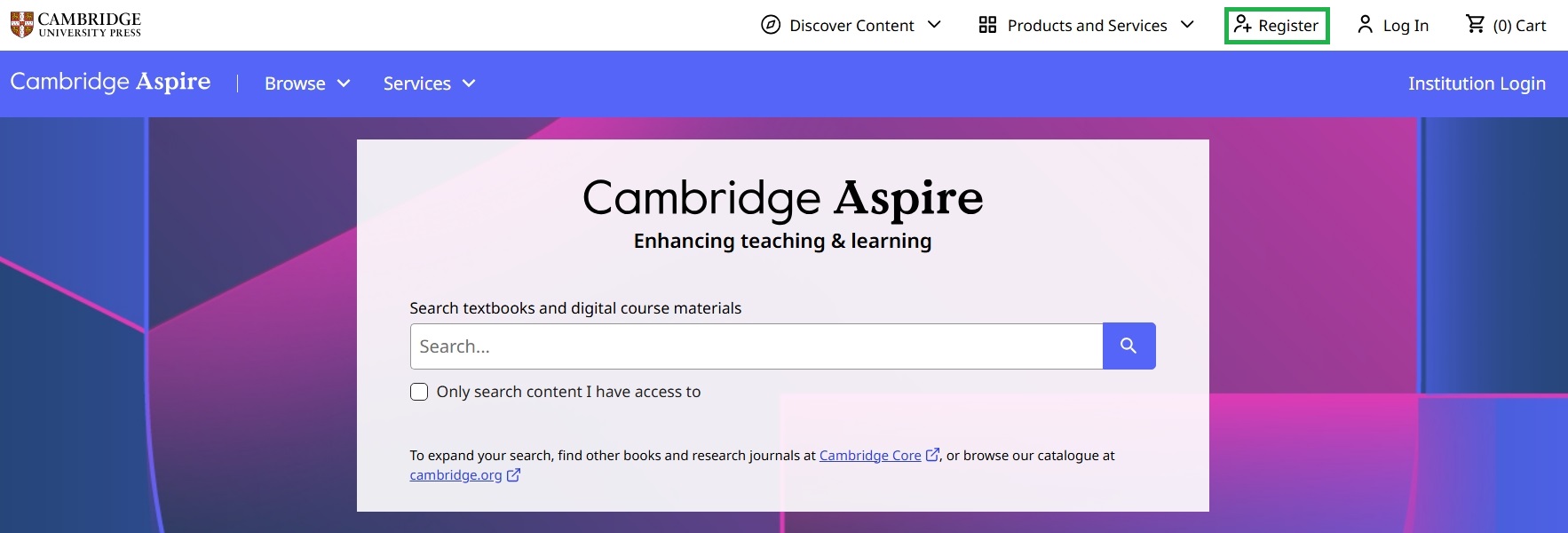
1. Click on Register button in the top right hand corner of the screen or click Register on the Cambridge Aspire log in page.
2. Please complete the fields in the registration form. First Name, Last Name, Email Address, Location and Password are mandatory (marked with*).
3. Enter a valid email address. If you are an instructor we recommend you use your institutional email address as this is generally required for exam copy requests, for example.
4. If you are affiliated with an organisation, such as a university or college, please specify this by selecting 'Yes' for ‘Are you affiliated with an organisation?’ (under the Location field). This will make the process of requesting an exam copy or textbook resources much easier.
5. If you are an instructor please select Yes for ‘Are you an instructor?’ (under the Location field). By doing this you register as an Instructor, making it easier to request additional teaching materials and exam copies.
6. To create an account you will need to agree to our Terms of Use and confirm that you are over 16. Please tick the box above the Register button if you are happy to proceed.
7. Click the Register button to continue.
8. Once you have done this, you will receive an activation email. Please follow the instructions in that email to confirm your account.
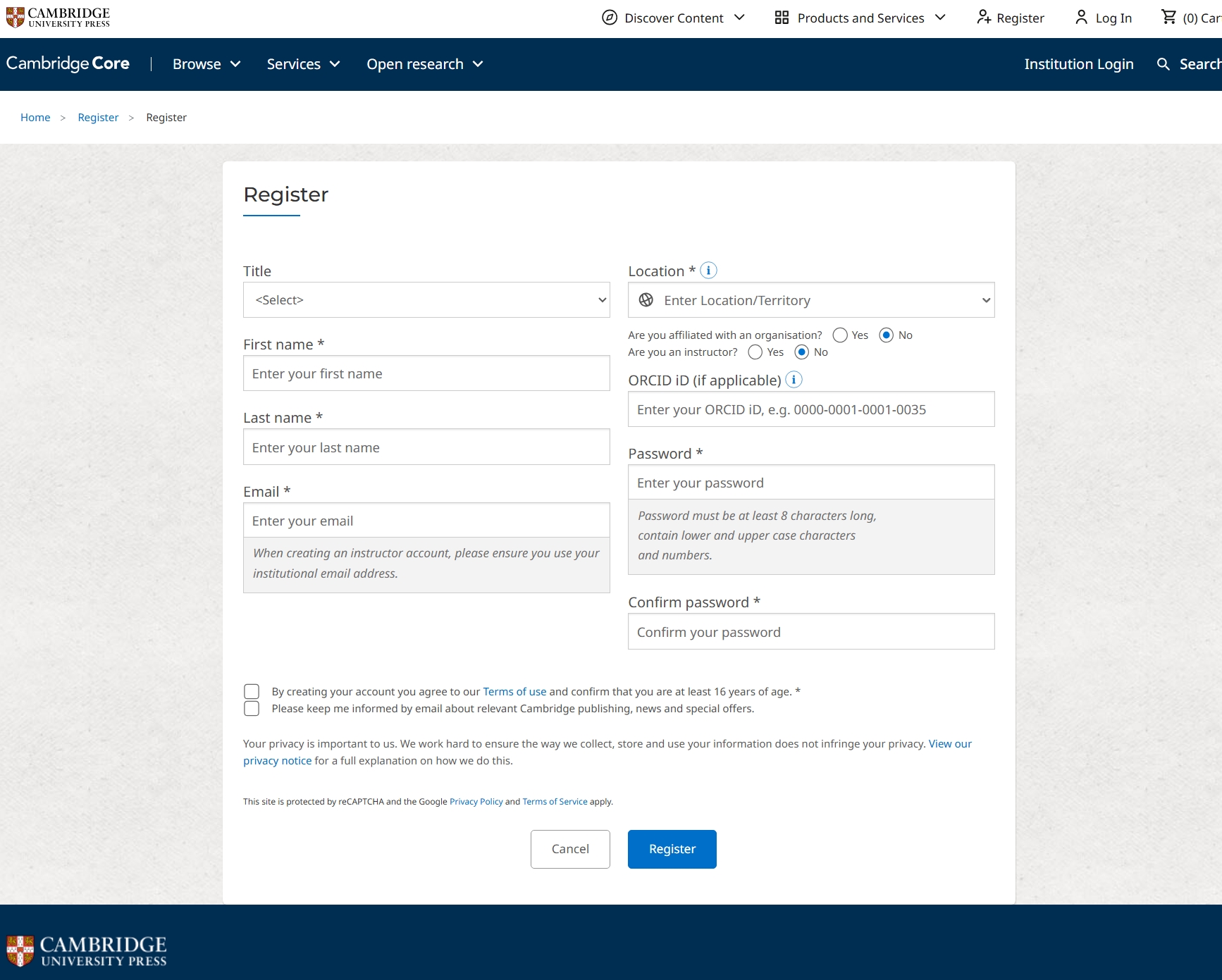
2. Please complete the fields in the registration form. First Name, Last Name, Email Address, Location and Password are mandatory (marked with*).
3. Enter a valid email address. If you are an instructor we recommend you use your institutional email address as this is generally required for exam copy requests, for example.
4. If you are affiliated with an organisation, such as a university or college, please specify this by selecting 'Yes' for ‘Are you affiliated with an organisation?’ (under the Location field). This will make the process of requesting an exam copy or textbook resources much easier.
5. If you are an instructor please select Yes for ‘Are you an instructor?’ (under the Location field). By doing this you register as an Instructor, making it easier to request additional teaching materials and exam copies.
6. To create an account you will need to agree to our Terms of Use and confirm that you are over 16. Please tick the box above the Register button if you are happy to proceed.
7. Click the Register button to continue.
8. Once you have done this, you will receive an activation email. Please follow the instructions in that email to confirm your account.
Log In to your Account
1. Click on ‘Log In’ in the top right of the screen, this will take you to the Cambridge Aspire log-in page.
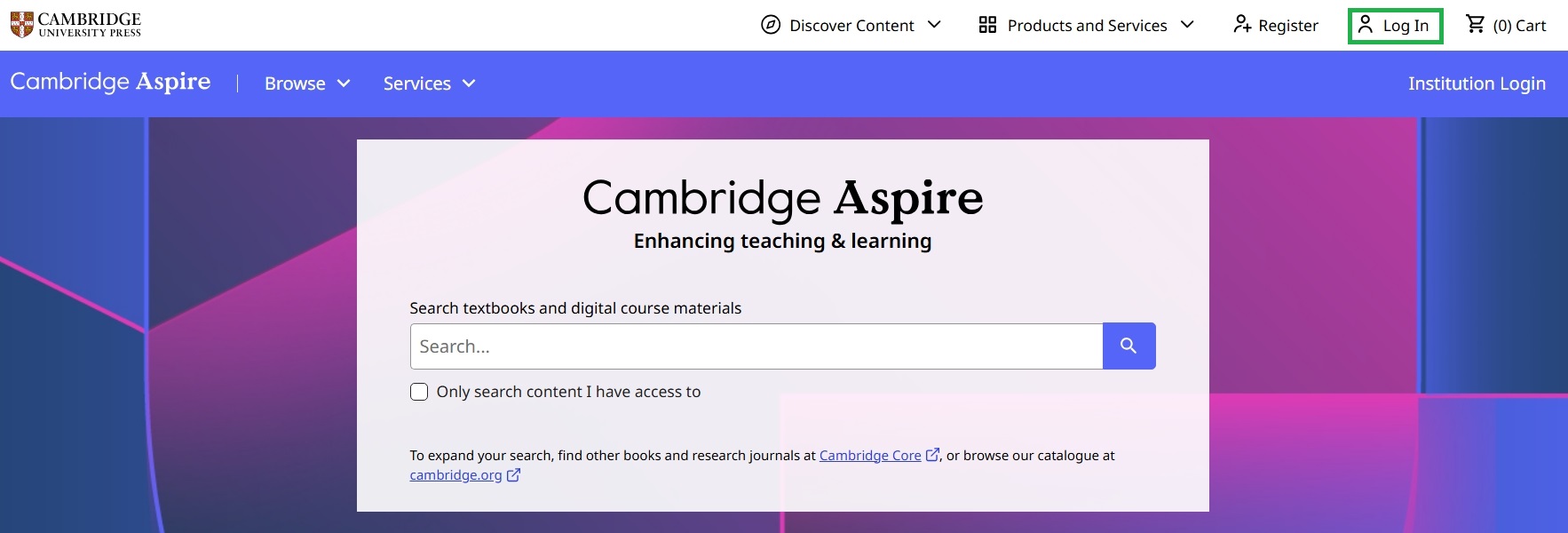
1. Click on ‘Log In’ in the top right of the screen, this will take you to the Cambridge Aspire log-in page.
2. Click on ‘Log In’ button
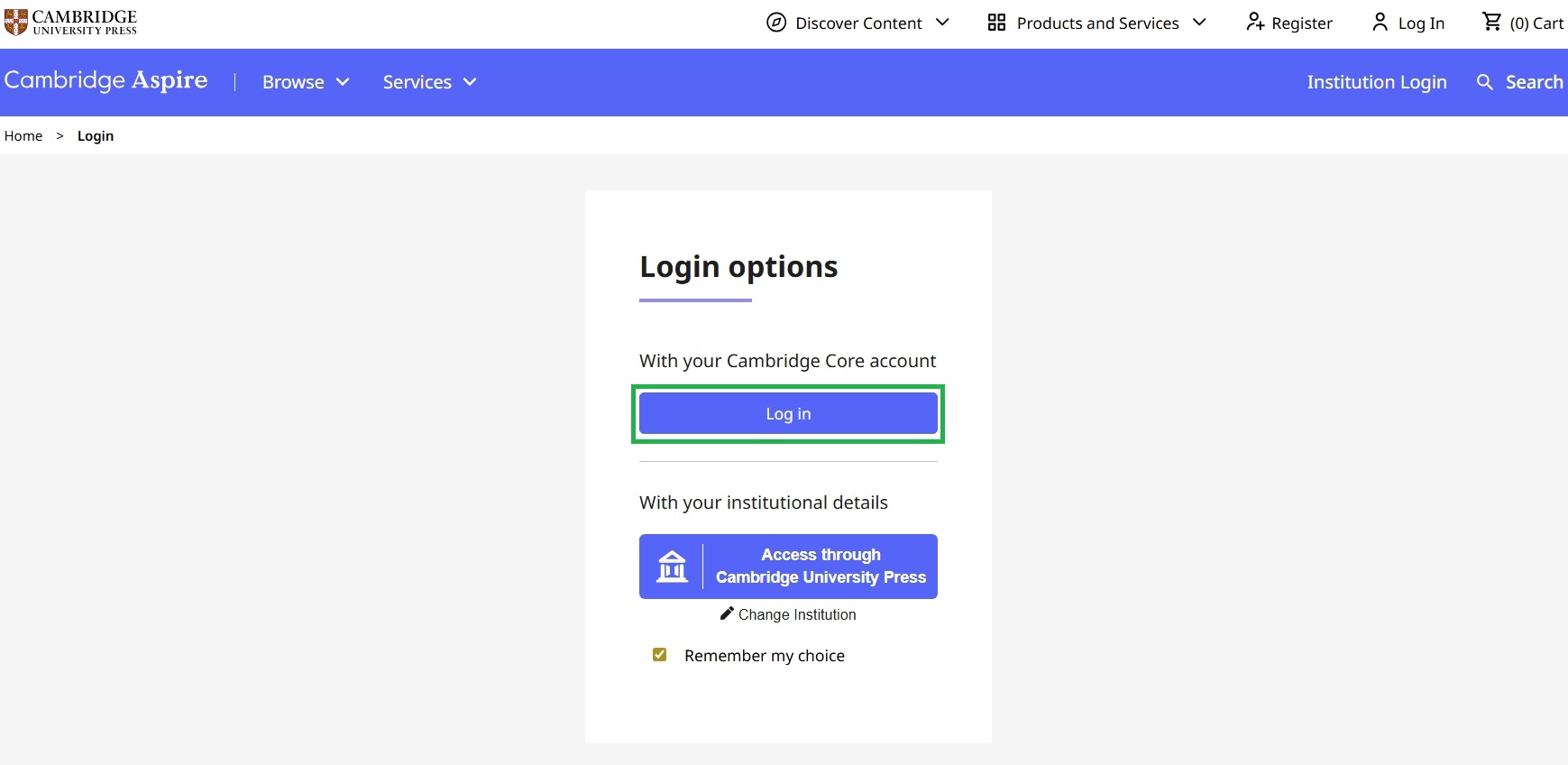
2. Click on ‘Log In’ button
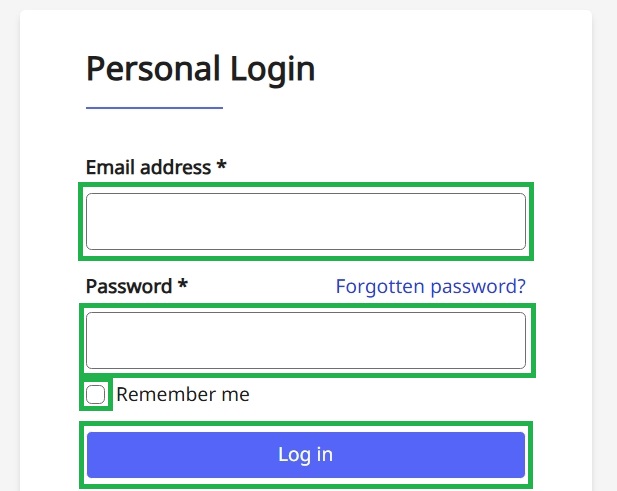
3. Type your email address
4. Type your password
5. Check Remember me if you want the website to remember your session after you close your browser.
6. Click on the ‘Log In’ button to complete the log-in process.
Next Step: Getting Started
3. Type your email address
4. Type your password
5. Check Remember me if you want the website to remember your session after you close your browser.
6. Click on the ‘Log In’ button to complete the log-in process.
Next Step: Getting Started